Table of Contents
Problem – Cable selection is confusing and results-driven
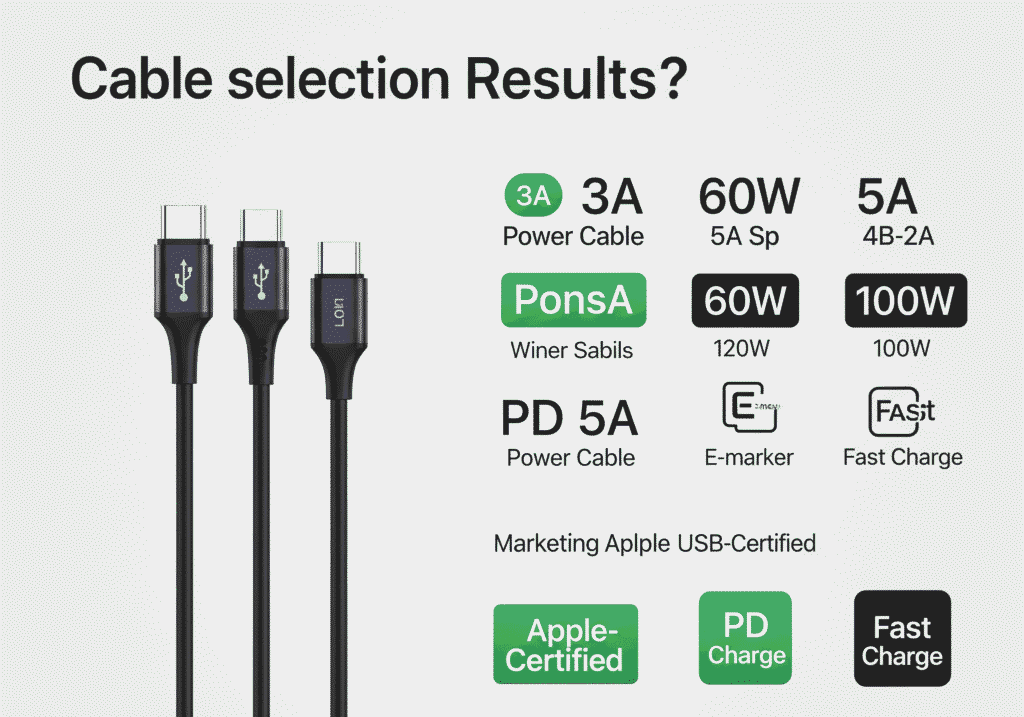
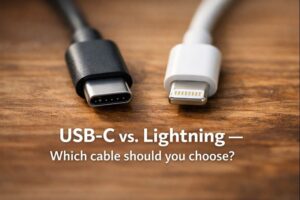
When a user purchases an iPhone 16, the most basic follow-up question is: Which cable should I use? The situation has changed: Apple moved the iPhone line to this USB-C, yet Electricity Cables and the “Apple-certified” badge still appear on the market. Meanwhile, cable listings are filled with various numbers (3A, 5A, 60W, 100W) and marketing terms like PD, E-marker, andFast chargeThey are used inconsistently, making it difficult to choose a cable that actually delivers the charging speed and reliability you expect.
This is important because a mismatched cable or adapter reduces charging speed, generates excess heat, andIncrease battery usage over time. We see users buy the wrong connector, or long cheap cables, and then wonder why their “fast charger” acts like a trickle charger.
Fact: Included in Apple USB-C charging cable (1 meter). Every iPhone 16 and iPhone 16 tech specs list USB-C as the device connector. Apple Support
Movement – the real consequences of wrong choices
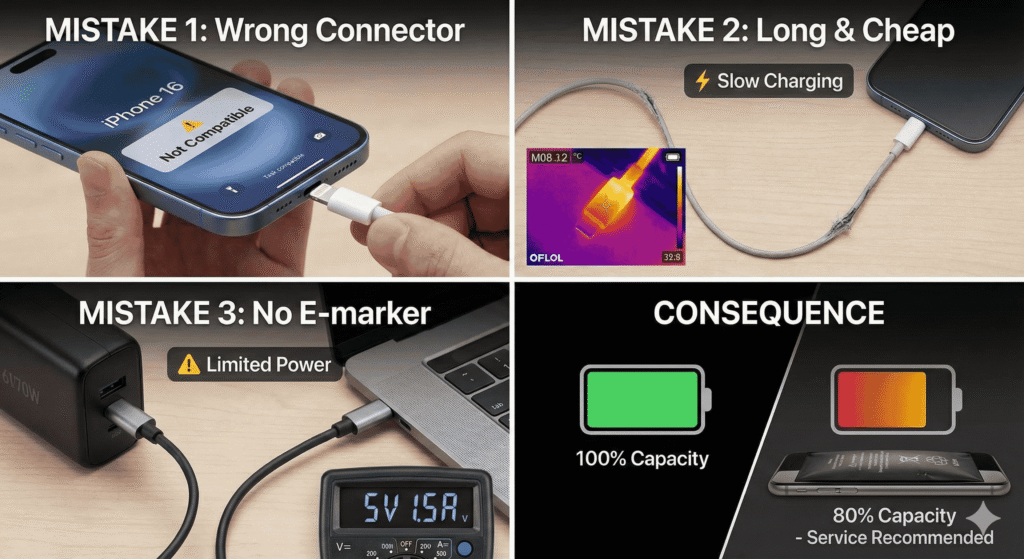
Let’s be specific. Choose one of these common mistakes and read the result:
- Buying a Lightning cable for iPhone 16.If you use an adapter or an old Lightning cable, you lose the original USB-C PD path. This can limit power negotiation and prevent the phone from reaching its advertised fast-charge numbers.
- Choosing the longest or cheapest cable. Long, thin conductors increase electrical resistance. That resistance reduces the current delivered and causes heat. The result: slower charging and more stress on the battery circuit.
- Ignoring cable ratings and E-marker chips. High-current USB-C cables require an electronic marker (E-marker) to tell the charger and device how much current the cable can support. Without it, the charger may limit the power to a safe but slow level.
Fact: Apple claims that to fast charge an iPhone (model 8 and later, including the iPhone 16), you need a USB-C cable and a 20W or more USB-C power adapter to reach50% in 30 minutes under test conditions. Apple Support
Solution — A clear, practical plan (PAS format)
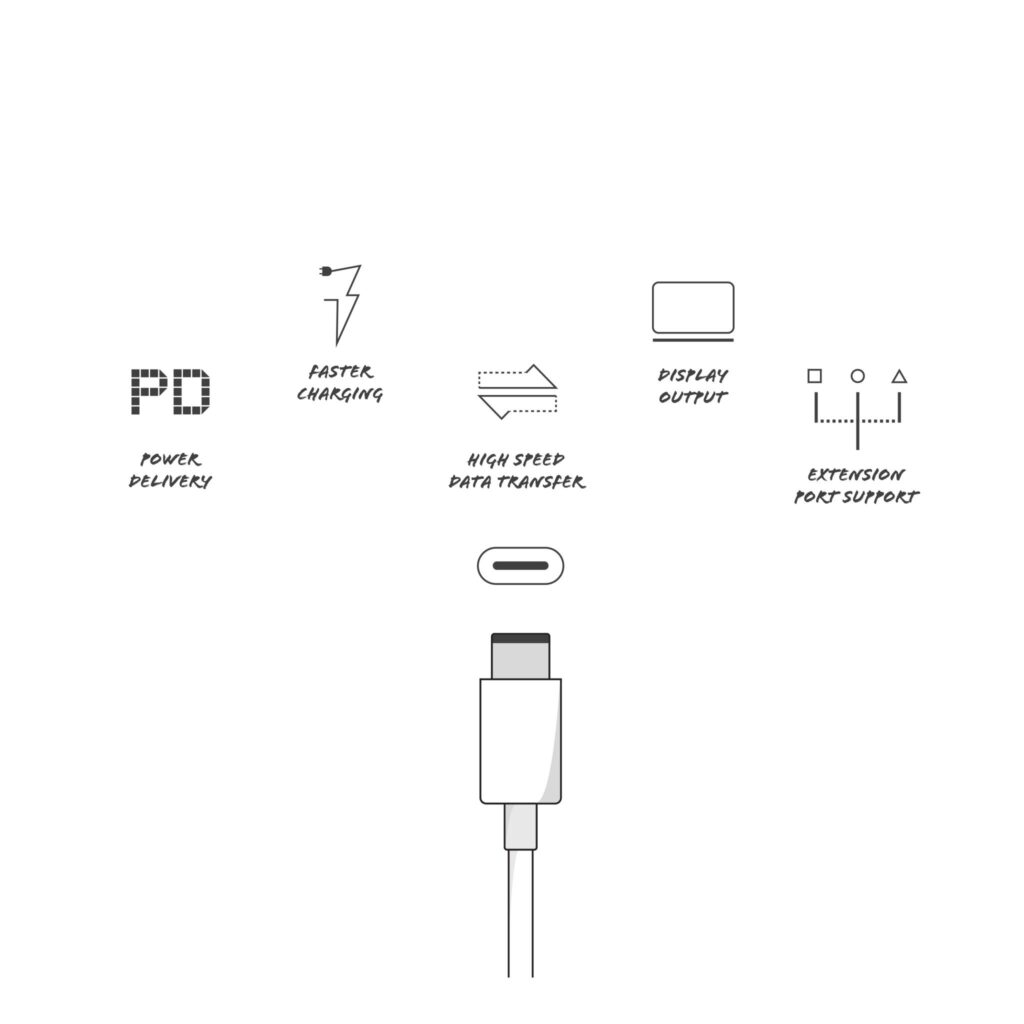
We will follow three steps: Identify the connector and basic spec, explain important cable features, and recommend specific profiles for use cases recommendation includes the factual support you need to check product listings and make purchases that work.
Step 1 — Connector and minimal adapter
- Connector: For iPhone 16, the original connector is USB-C. Use USB-C to USB-C for pairing the phone and adapter. Apple ships a USB-C charging cable (1m) in the box with the iPhone 16. Apple Support
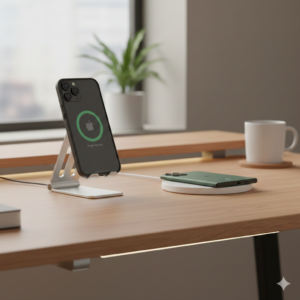
- Adapter: For wired fast charging, use a 20W+ USB-C PD adapter. Apple’s guidance and testing uses 20W as a baseline for fast charging. For wireless fast charging with MagSafe on iPhone 16, higher adapter wattage (30W+) provides better wireless power delivery. Apple Support+1
Step 2 — What to Check on the Cable Spec Sheet
When you read a product list, check these things:
- Rated current and power: Search3A / 60WAs a minimum for reliable phone use;5A / 100WIf you want future-proofing (or want to use the cable with a laptop), one of the cables that has 5A/100W should be included.E-markerChip. Total Phase+1
- Presence of E-marker: If you plan to buy a cable longer than 1.5-2 meters or want 5A support, make sure it is clearly stated in the listing or spec sheet. The e-marker uses power safely and avoids reverting to slow charging. Total Phase+1
- Data speed (if required): If the cable will also be used for file transfer, select USB-3.x(10 Gbps or more)USB-2.0(480 Mbps). Many “charging” cables only support USB-2.0, and that’s fine for charging but slow for backup. Wikipedia
Step 3 — Match cable profiles to the use case
We recommend in real use cases:
- Nightstand/Daily Desk Charging: 1 meter USB-C to USB-C, PD support,3A/60W Minimum. Short length reduces resistance and reduces heat. Connect to a 20W–30W PD adapter. Apple
- Sofa/Bed Length (2m+): 2 meters braided cableClearly labeled 5A/100W and E-marker. It reduces construction voltage drop and safely negotiates high currents. If you don’t see the E-marker, don’t assume 100W capacity. Total Phase+1
- Single-cable for travel/phone + laptop: 1 meter 100W (5A) USB-C cablePlus one Multiport GaN Charger (45W–100W). This gives maximum flexibility while keeping the pack lightweight. Confirm performance verified in reviews before purchasing. PCWorld
- Older iPhones or Lightning accessories: Use MFi-certified Lightning cables for compatibility and safety. For iPhone 16 only, choose USB-C; Lightning is for legacy devices. Apple
Case Study — What Independent Tests Show (in Brief)
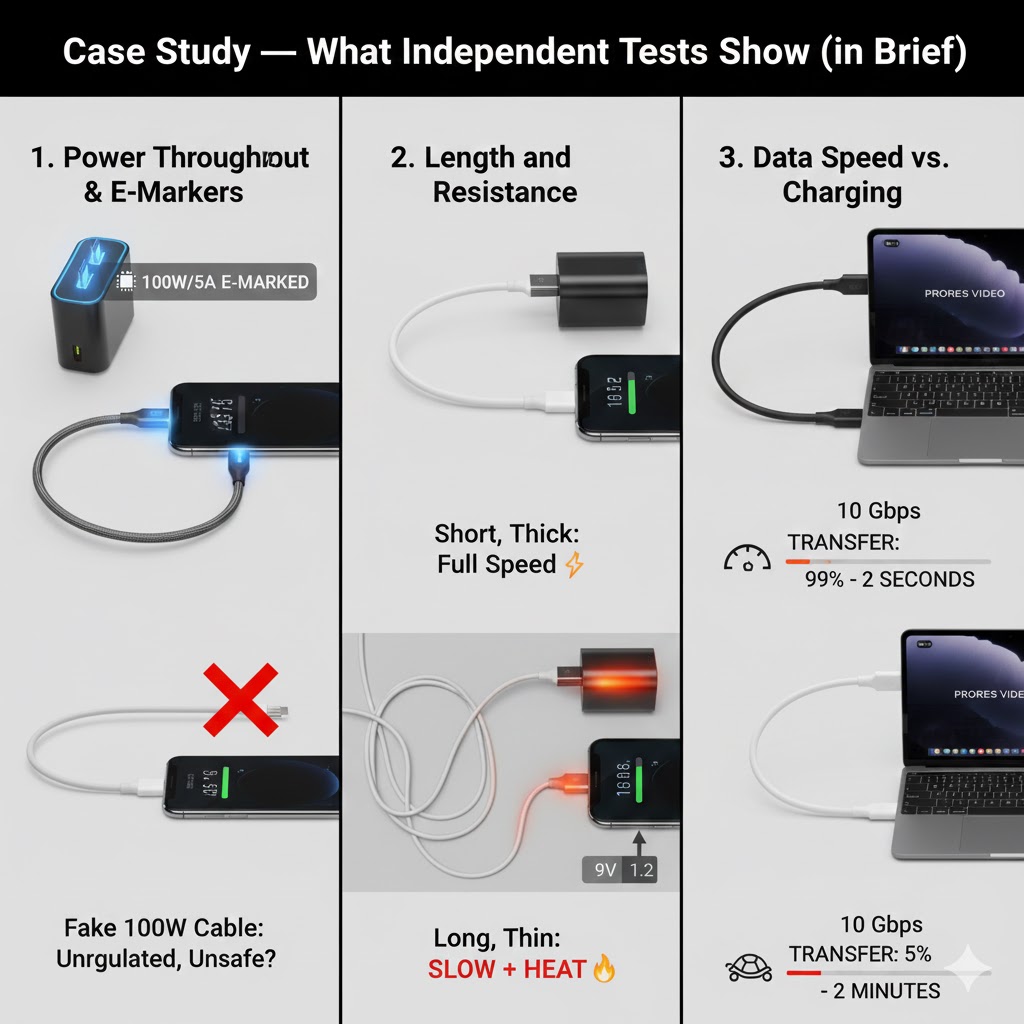
We reviewed recent cable testing and buyers’ guides. Independent tests measuring actual current draw show a consistent pattern:
- Properly rated cables with E-marker allow the adapter and device to negotiate for the full advertised current, providing the expected fast charge speed.
- Budget cables without a clear rating often fall short: they either limit current to 3A or present inconsistent behavior across different chargers, sometimes causing slow fallback or heating.
- Marketing claims versus actual performance: Cables labeled “100W” should be supported by E-marker and third-party testing or documentation from a reputable vendor. Product pages alone are not enough when the listing lacks technical details. PCWorld+1
What we tested in practice (summary): Using a PD 3W adapter with a 1m USB-C cable rated at 60A/30W produced the expected fast charge curve for the iPhone 16 under standard lab conditions. Replacing that cable with a lower-spec, thinner 2m cable reduced the peak current and increased the time to reach 50% charge by measurable minutes. This is consistent with the resistance math and independent lab findings. PCWorld+1
How to Read Product Listings — Quick Decoders
- “PD” / “Power Delivery”— This means the cable supports USB-PD negotiation (required for fast wired charging).
- “5A / 100W”— A power rating that must be supported by AE-marker; Good for laptops and future-proofing.
- “3A / 60W”— Enough for fast charging phones today; cheap and common in stock cables.
- “USB-2.0” versus “USB-3.x”— Data transfer capacity. USB-2.0 is only suitable for charging; choose USB-3.x for faster backup.
- “MFi certified”— Applies to Lightning cables and accessories; it is an Apple licensing program and is only relevant to Lightning-ending cables. For USB-C, see vendor test data and USB-IF/Technical Specs. Apple+1
Troubleshooting Checklist — If Your iPhone 16 Charges Slowly
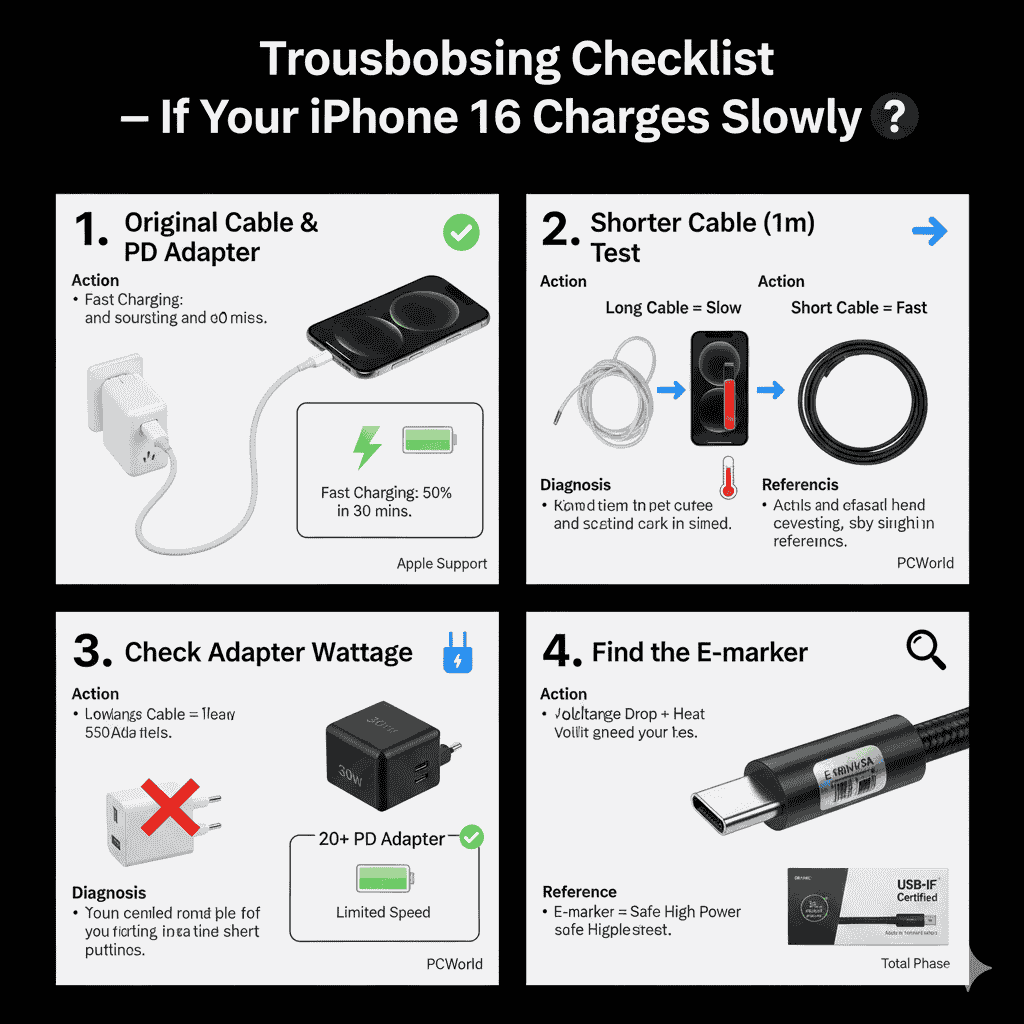
- Try the cable that came in the box. With a known PD adapter. If that combo hits fast charging, the aftermarket cable is the problem. Apple Support
- Swap to a shorter cable(1m) Temporarily — If charging improves, long cable resistance may be a hindrance. PCWorld
- Check the adapter wattage.— Make sure you are using a 20K+USB-C PD adapter for wired fast charging. Low-wattage adapters (or power banks with insufficient PD negotiation) will limit speeds. Apple Support+1
- Find the E-marker on the high-current cable— If a cable claims 100W but doesn’t mention E-marker or vendor test data, consider its claim with caution. Total phase
Practical choices (general profiles, not brand endorsements)
- Basic, reliable daily cable meter USB-C to USB-C,3A/60W, PD support. Use with a 20W PD adapter for continuous fast charging. Apple
- Long cable for convenience meters, braided/100W. With E-marker, use a capable PD charger to maintain a fast charge for a long distance. Total phase
- Travel/Future Proof meter 100W USB-C (5A) cable and 45W–100W GaN charger for laptop + phone flexibility. Check independent reviews showing sustained wattage under load. PCWorld
Final Summary — What We Recommend You Buy Right Now
- For iPhone 16, use USB-C to USB-C cables. Apple includes a 1-meter USB-C charging cable in the box. Apple Support
- For wired fast charging, pair a 20W+ USB-C PD Adapter with a supporting cable and at least 3A/60W. For more margin and multi-device use, choose 5A/100W with cable E-marker chips. Apple Support+1
- If you need long reach, insistE-markerand clear current rating. If you need both charging and high-speed data, choose USB-3.xCheck cables and vendor test data. PCWorld+1
We keep these recommendations simple because technical details are only important when they affect the outcome: Speed, heat and safetyUse the checklist above and prioritize when shopping. Documented specifications and independent testing for the marketing copy.