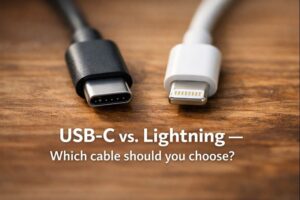
What is a USB-C to Lightning Cable?
A USB-C to Lightning cable is a key connector that connects two different types of technology. One end has a Lightning connector that fits into your iPhone, iPad, or iPod. The other end has the increasingly popular USB-C connector.
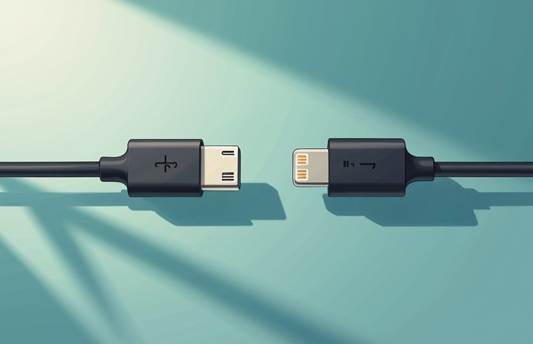
These cables do more than just connect physically. They have two main functions. First, they allow you to charge your Lightning-equipped devices efficiently. Second, they help transfer data between your iPhone and compatible USB-C devices. This makes it easy to sync photos, videos, and other files..
Compatibility with Apple Devices
USB-C to Lightning cables work with virtually any Apple device that has a Lightning port.
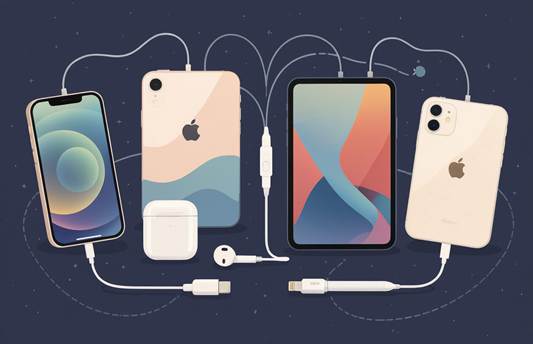
These cables work well for connecting your iOS devices to newer Mac computers with USB-C or Thunderbolt 3 ports. This connection allows easy syncing through iTunes or Finder, and it charges your device at the same time.
It’s important to note that not all USB-C to Lightning cables are the same. Some special versions, like the RØDE SC15,
are made for audio devices, such as microphones. They might not have the right circuitry to charge or sync your iOS devices. Always check the product details before buying for your specific needs.
The Importance of MFi Certification
When shopping for an iPhone cable that connects USB-C to Lightning, you should focus on those with MFi certification. MFi means “Made for iPhone/iPad.”
It is Apple’s licensing program that makes sure third-party accessories meet their quality and compatibility standards.
Choosing an MFi-certified cable has several benefits. First, it guarantees compatibility with your Apple devices, so you avoid those frustrating “
This accessory is not supported” error messages. Second, it ensures electrical safety and protects your valuable devices from potential harm. Third, MFi cables are made to keep charging speeds and data transfer rates at their best.
To check if an accessory is MFi certified, search for the brand or product on Apple’s official MFi Licensed Accessories website. This quick check helps you steer clear of counterfeit products that could damage your devices or provide poor performance.
Unlocking Performance: Fast Charging, Data Transfer, and Durability
Fast Charging Capabilities with Power Delivery (PD)
One of the biggest benefits of a USB-C to Lightning iPhone cable is its fast charging ability. When linked to a compatible USB-C Power Delivery (PD) power source, these cables can significantly cut down charging time for your iPhone.
Unlike standard charging that slowly delivers power, PD technology quickly supplies the right amount of power your device can manage.
Most quality USB-C to Lightning cables support power outputs of up to 20W. Some premium options can reach 27W or more. This results in strong performance. You can charge your iPhone 8 or later from completely dead to 50% battery in just 25 to 30 minutes.
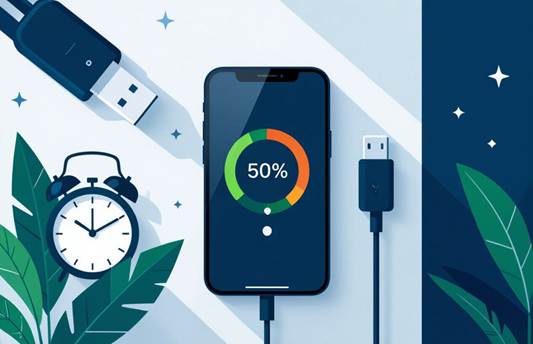
To unlock fast charging capabilities, you need three key components:
- A USB-C PD wall charger (18W minimum for optimal performance)
- A high-quality USB-C to Lightning cable
- An iPhone that supports fast charging (iPhone 8 or later)
Without all three elements, your device will charge at standard speeds. Best Buy’s charging tests show that the difference can be significant. It can be up to 3 times faster than using the standard 5W charger that came with older iPhones..
Efficient Data Transfer and Syncing
Beyond power delivery, these cables are great for data transfer and device syncing. A good USB-C to Lightning iPhone cable can transfer data at speeds up to 480 Mbps, which is the USB 2.0 standard. This allows you to back up your iPhone to a computer or transfer large photo libraries quickly and reliably.
When you sync your iPhone with a Mac or PC, a stable connection allows for smooth data transfer without interruptions. However, it’s important to note that these cables cannot enable direct file transfers between your
iPhone and non-Apple devices, such as Android phones. This limitation comes from the different operating systems, not the cable itself, as Cable Creation explains.
Durability and Design Innovations
Modern USB-C to Lightning cables are much more durable than earlier iPhone cables. Many manufacturers now use braided nylon or flexible silicone on the outside. These materials resist fraying and damage from everyday use.
The engineering behind these cables is impressive. For example, the Belkin BoostCharge Pro Flex has been tested to withstand over 30,000 bends. This makes it about 30 times more durable than standard PVC cables.
Manufacturers now offer various designs to suit different needs:
- Multiple length options (from 4 inches to 10 feet)
- LED charging indicators that show when your device is fully charged
- Innovative cable management features like magnetic clips or winders
- Reinforced stress points at connector ends to prevent breakage
Tips for Extending Cable Lifespan
To maximize your cable’s longevity, follow these simple maintenance tips from cable experts:
- Unplug your cable by gripping the connector housing, not by pulling on the cable itself
- Avoid storing cables in high-humidity environments, as Lightning connectors aren’t waterproof
- Clean the Lightning connector periodically with isopropyl alcohol on a cotton swab to remove lint and debris
- Use cable protectors or organizers to prevent sharp bends when storing
- Keep cables away from pets who might chew on them
With proper care, a quality USB-C to Lightning cable can provide years of reliable service, making it a worthwhile investment for any iPhone user.